Do Smart Rings Sync with Samsung Health? (UK 2026)
Which smart rings sync with Samsung Health, what Oura and RingConn actually send through Health Connect, and the settings that break it. UK 2026.
Smart ring Samsung Health integration depends entirely on which ring you buy. Samsung Health (Samsung's own wellness app, pre-installed on Galaxy phones) treats its first-party Galaxy Ring very differently from third-party hardware, and the bridge that connects everything else, Health Connect, is Android-only. This guide sets out what each major ring actually sends, what Samsung Health does with it, and the settings that most often break the chain. Facts were re-checked against Samsung, Oura, RingConn and Google documentation in November 2026.
Does the Samsung Galaxy Ring sync with Samsung Health?
Yes, and it is the only ring that does so natively. The Samsung Galaxy Ring (Samsung's first smart ring, launched in 2024) feeds straight into Samsung Health: sleep stages, heart rate, blood oxygen, activity and Samsung's Energy Score all appear in the app with no extra setup.
Samsung's UK product page sets out the requirements. The Galaxy Ring needs Android 11 or later. It needs the latest version of the Samsung Health app. Battery life is quoted at up to 7 days for sizes 12 and 13, and varies by size. Samsung also notes that a Samsung account and a Galaxy smartphone are required for certain AI features (Samsung UK).
In practice that means a non-Samsung Android phone gets the core metrics but a trimmed experience. There is no meaningful Samsung Health app on iPhone, so the Galaxy Ring is an Android-first, Samsung-best device. If you are weighing it against the main alternative, our Oura Ring 5 vs Galaxy Ring comparison covers the trade-offs, and the Galaxy Ring 2 rumours page tracks what may come next.
How do other smart rings get data into Samsung Health?
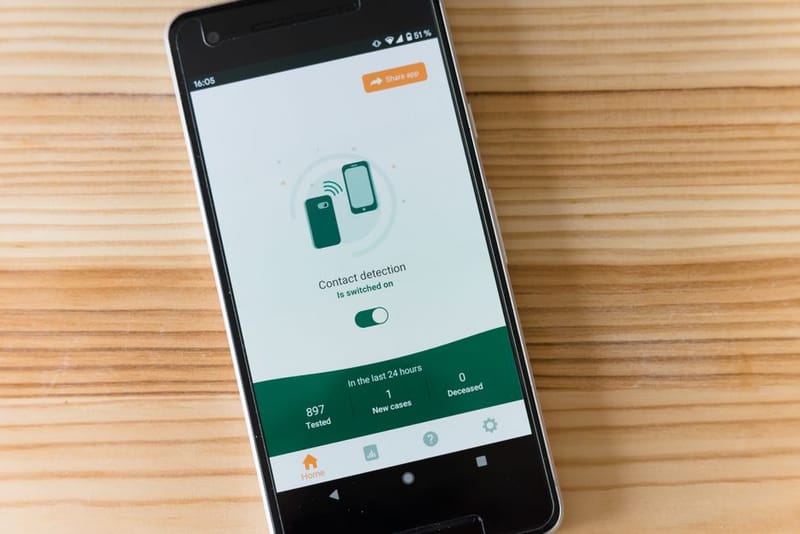
Third-party rings such as Oura, RingConn and Ultrahuman each run their own app and do not write to Samsung Health directly. The link between them is Health Connect, a shared health-data store on Android built by Google with Samsung. One app writes a metric into it; another reads it, once you grant permission. You can read the developer overview in the Android Health Connect documentation.
Health Connect is a database stored on your phone, not in the cloud (Google Help). On Android 14 and later it is built into the system, under Settings, Security and privacy, Privacy controls, Health Connect. On Android 13 and earlier it is a separate download from the Play Store.
So the chain for a third-party ring has three links: the ring syncs to its own app over Bluetooth, that app writes to Health Connect, and Samsung Health reads from Health Connect. Break any link and the numbers stop arriving. Our Health Connect guide covers the hub itself in more depth; this page focuses on the Samsung Health end.
Which smart rings send data Samsung Health can use?
What each ring writes to Health Connect is published by the brands themselves, and it differs more than the marketing suggests. Samsung Health can only show what the ring app writes.
- Oura: writes activity (active calories, distance, exercise, steps), height and weight, sleep, heart rate and heart rate variability. It needs Android, a Gen 2 ring, or a Gen 3 or later ring with an active membership. Sharing is switched on in the Oura app under Settings, Data Sharing, Health Connect (Oura support).
- RingConn: writes activity (resting energy, steps, exercise calories), sleep including stages, resting and average heart rate, height, weight and blood oxygen. HRV is not shared, which RingConn puts down to an algorithm compatibility issue. It needs Android 9 or later (RingConn).
- Ultrahuman: Ultrahuman documents its Apple Health sync in detail but publishes far less about Health Connect. Check the integrations screen in your own Ultrahuman app before counting on a given metric reaching Samsung Health.
- Budget rings: many cheaper rings have no Health Connect support at all, so their data stays in their own app.
The practical test is simple: a ring is only Samsung Health compatible if its current app lists Health Connect support, and even then only the metrics both sides recognise will transfer. Membership matters too. An Oura Gen 3 or Ring 4 without a membership does not qualify, which is worth knowing alongside our subscription cost comparison.
How to set up Samsung Health to read your ring's data
Update the ring app, Samsung Health and (on Android 13 or earlier) the Health Connect app to their latest versions.
In the ring's app, turn on Health Connect sharing and switch on each metric you want to send.
In Samsung Health, open Settings and then Health Connect, and grant read access to the same metrics. Managing the permissions from inside Samsung Health is the most reliable route.
Make sure Samsung Health's own sync with your Samsung account is switched on.
Open the ring app once so it syncs, then open Samsung Health and give it a few minutes to pull the new data.
Two settings catch people out. Health Connect lets you set a priority order of apps for each data type, so if a Galaxy Watch and a ring both record steps or sleep, decide which one wins or you may see doubled or conflicting figures. And reading older records needs a separate history permission in Health Connect (Android developers), so do not expect months of ring data to appear the moment you connect.
What does not transfer between a ring and Samsung Health?
Only the metrics both apps understand cross over, which usually means steps, heart rate, sleep and sometimes blood oxygen. Proprietary scores stay locked in their home app: Oura's Readiness, Ultrahuman's recovery metrics and RingConn's wellness scores do not appear in Samsung Health, because there is no shared field for them in Health Connect. Samsung's Energy Score works the other way: it is only calculated from Samsung's own devices.
Three further limits matter. Syncing is not instant, because it waits on each app syncing in turn. Samsung Health mirrors the ring rather than feeding settings back to it. And because Health Connect exists only on Android, none of this applies on an iPhone. If figures look wrong after setup, our sync troubleshooting guide walks through the usual causes.
Should you pick a Galaxy Ring or a third-party ring for Samsung Health?
If Samsung Health is the app you open every day and you own a Galaxy phone, the Galaxy Ring is the only ring that fills it completely, including Energy Score. There is no subscription, which keeps long-run cost predictable.
If you care more about the ring's own coaching, a third-party ring can still sit alongside Samsung Health. Oura shares the widest set of metrics, including HRV, but needs a membership on newer rings. RingConn is subscription-free and shares blood oxygen, but not HRV. Either way, you will read scores in the ring's app and raw numbers in Samsung Health. Our best smart ring for Android guide ranks the options on that basis.
Do smart rings sync with Samsung Health on iPhone?
No. Samsung Health on iOS is minimal, and Health Connect is an Android-only platform with no Apple equivalent. iPhone owners who want their ring data in one place should rely on Apple Health integration instead. If Samsung Health is non-negotiable for you, plan on using an Android phone, ideally a Galaxy.
Frequently asked questions
Does the Oura Ring sync with Samsung Health?
Can I see my Galaxy Ring data in Samsung Health?
Does smart ring Samsung Health integration work on iPhone?
Will my Readiness or recovery score show in Samsung Health?
Does RingConn send HRV to Samsung Health?
Why are my steps doubled in Samsung Health?
Smart Rings and Health Connect (UK 2026)
Smart Rings and Apple Health (UK 2026)
Samsung Galaxy Ring review
Oura Ring 4 vs Samsung Galaxy Ring
Smart Rings, Fitbit and Google Fit (UK 2026)
Smart ring won't sync?
Choosing a ring for Samsung Health?
The Galaxy Ring is the only native fit; everything else rides on Health Connect.